

Developer Accounts
Developing on Digits is free, fast, and requires just a few steps to get started.
Create a Developer Account
If you already have a Digits account:
Open your account and look for the Developer tab in the left sidebar.
Start building with Digits Connect
For a free developer account, sign up at my.digits.com/join/developer.
We'd love to learn more about you! Reach out to [email protected] and let us know what you're building.
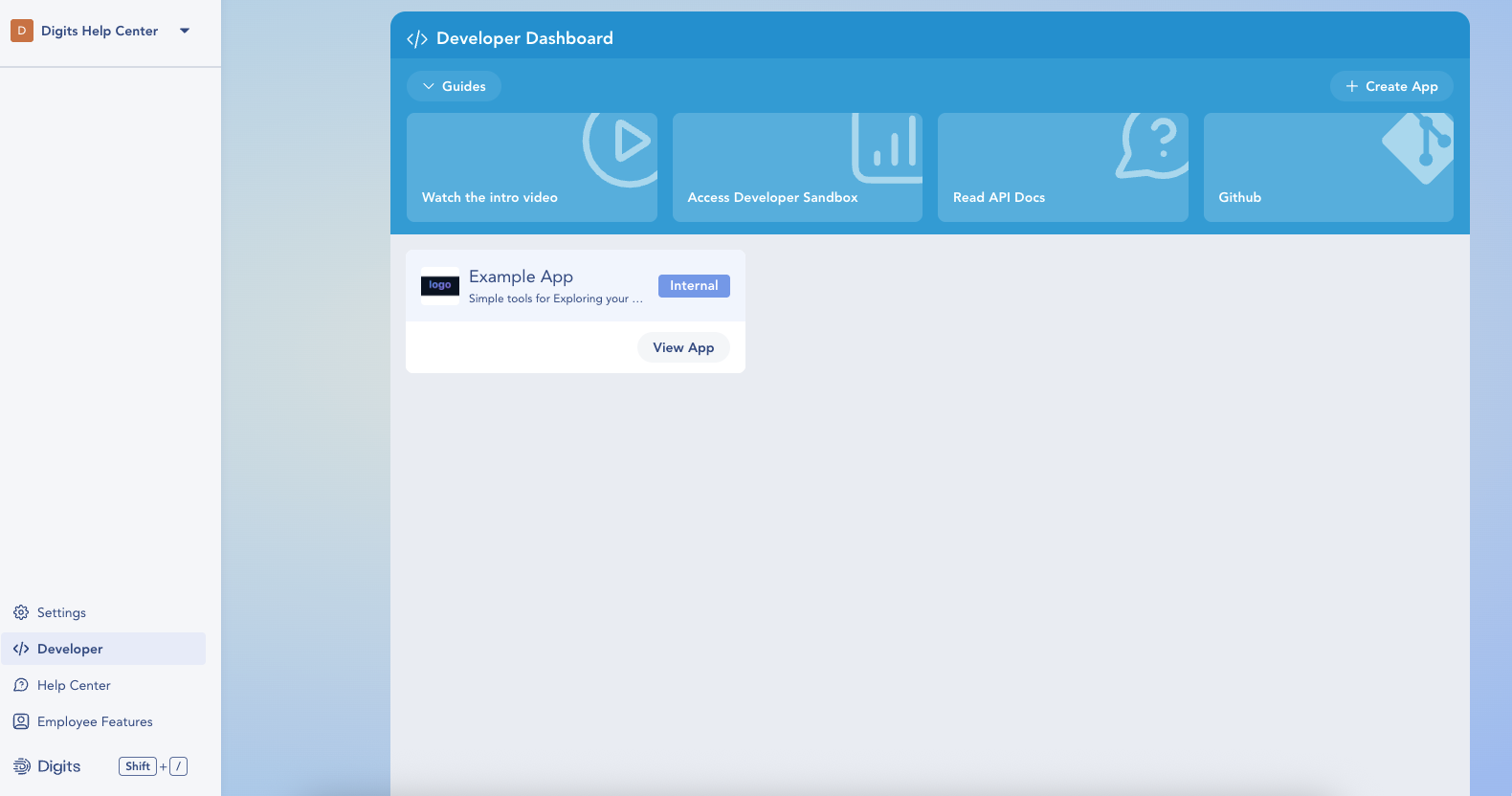
Developer Dashboard
- Watch the Intro Video — platform overview.
- Access Developer Sandbox — creates/opens a demo company with sample data.
- Read API Docs — links to Quickstart and API Reference.
- GitHub — examples, and starter repos.
- Create App — start a new app
- Your Apps — cards for each app with status (e.g., Internal) and a View App button.
Service accounts
Developer accounts support entity and organization apps, including development keys for the sandbox. Service accounts can only be created in a firm or organization with permission to create organization connections. They have production credentials only. See Authentication for setup and Working across an organization for discovery and requests.
Updated 14 days ago
What’s Next
Ready to build? Head to App Creation to register your first app, choose scopes, and get your client credentials.