

Publishing Apps
Understand app modes, approval, and publishing options.
App Modes
Digits apps can move through four distribution modes, depending on which keys you use and where the app needs to be installed.
| Mode | Keys | Use when |
|---|---|---|
| Development | Development | You are building and testing in your Developer Sandbox. |
| Internal | Production | You are using the app with your own Digits entities or clients of your firm. |
| Approval | Production | You need the app to be installable in other customers' entities or organizations. |
| Publishing / Partner | Production | You want the app listed in the Digits Connect integrations list. |
Select a mode below for more detail:
Available automatically — every app comes with Development keys. There's nothing to request.
Use Development keys while you build and test. Your app is installable in your Developer Sandbox, and sandbox testing continues to work as-is through every later mode.
See Developer Sandbox for install instructions.
Available automatically — no approval required for internal use with your Production keys, as long as the installer has access to both the app and the target entity or organization where it's being installed.
Internal apps are a common production use case. They can be used for your own Digits entities or for clients of your firm. You can also build and verify OAuth + API flows, iterate on scopes and redirects, and continue testing safely.
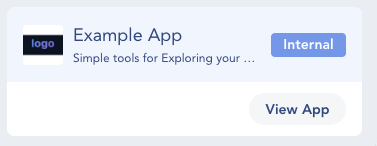
- On the Developer Dashboard, each app card shows an Internal badge.
- When you open the app (View App), the Identity panel also displays Internal.
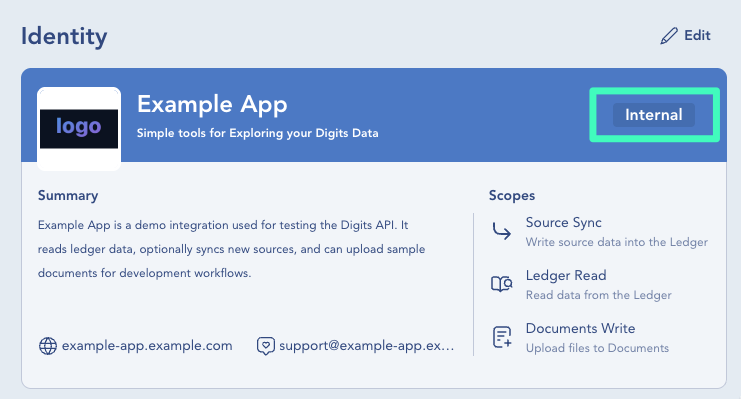
Click View App to open the app details.
How to request — email [email protected] with the subject
App Approval Request: <Your App Name>.
Approval is a straightforward review that makes your Production app installable in other Digits customers’ entities or organizations, according to the app’s install target, with users typically starting from the install link on your site. It's a great destination in its own right. Publishing is always an option later!
Include the following in your request:
- What your app does — a short description of the app and the problem it solves.
- Who it's for — the intended audience for your integration.
- How you protect customer data — evidence of secure data handling practices, such as a recent penetration test or a SOC 2 report.
We'll review your request and follow up with any questions and next steps.
Before requesting approval
Complete your app's profile before requesting approval. Add any relevant optional URLs in their current tabs:
- In Identity, add a Privacy Policy URL and Terms of Service URL if your app has them. Digits shows these links to users during installation when provided.
- In Configuration, add an App Install URL if users should start the install or connect flow from your site. Digits uses this within your app listing in Connections.
See: App Creation
How to request — email [email protected] with the subject
Partner Publishing Request: <Your App Name>.
Publishing lists your app in the Digits Connect integrations list. We treat published apps as real partnerships, so the process goes deeper than approval and typically includes:
- A deeper review of your app's functionality
- Integration roadmap planning
- A joint marketing story
- Ongoing collaboration channels between our teams
We want apps to get published! Your app should be approved (or ready for approval) first — reach out and we'll set up a conversation.
Updated 14 days ago